
See exactly what to change next time.
Finish a practice call and VocalCoach shows you how it went: four numbers at a glance, the shape of the conversation, and specific tips linked to the moments in your transcript. It comes with every practice call at no extra charge.
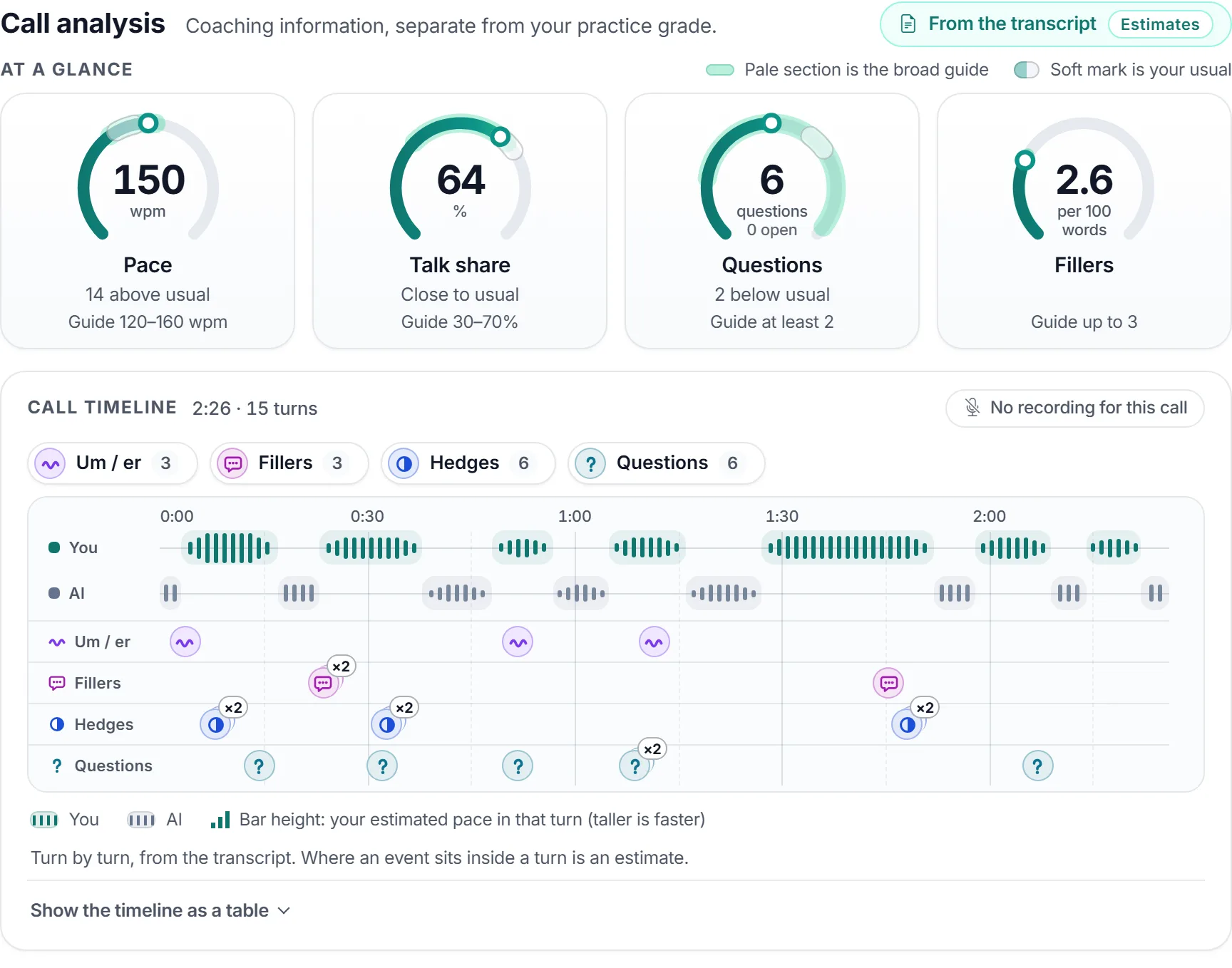
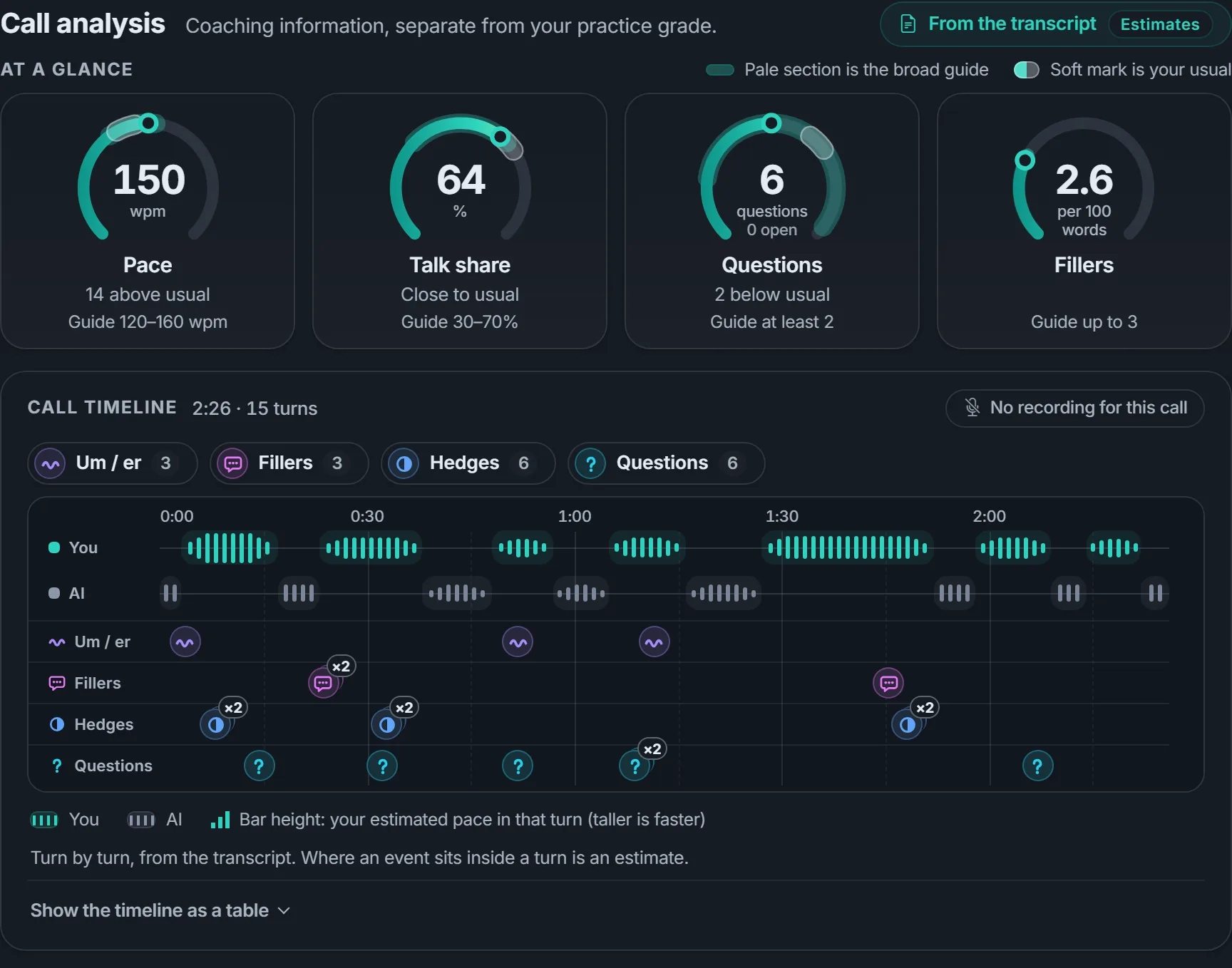
Estimates from the call transcript. Coaching information only — never part of your practice grade.
From a quick read to the exact moment
Start with the dials. Go as deep as you like from there.
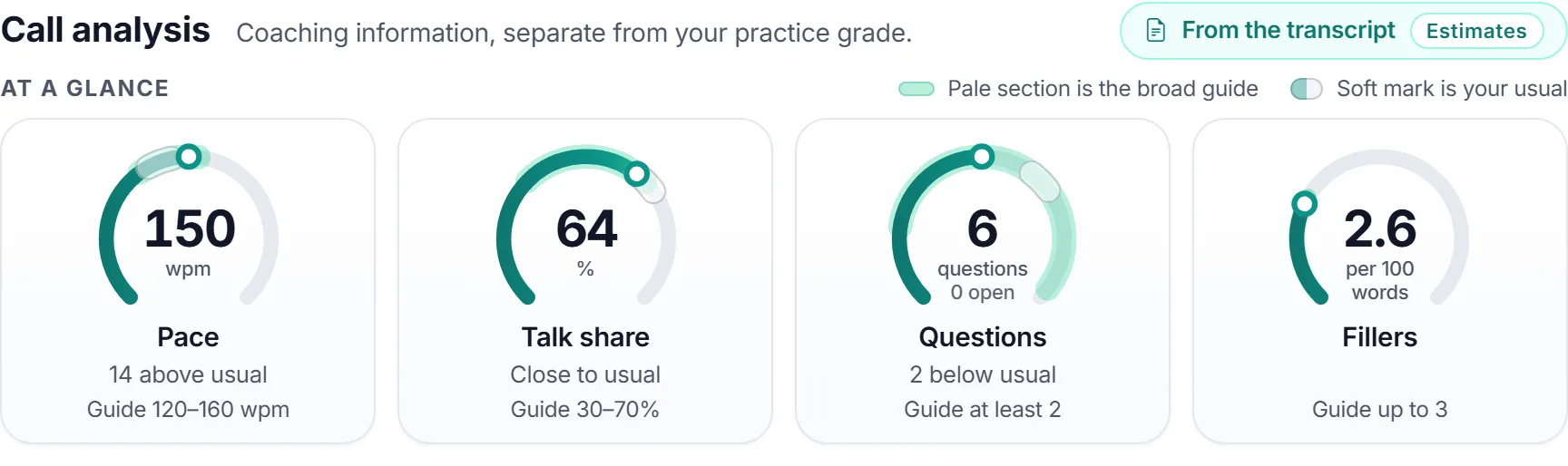
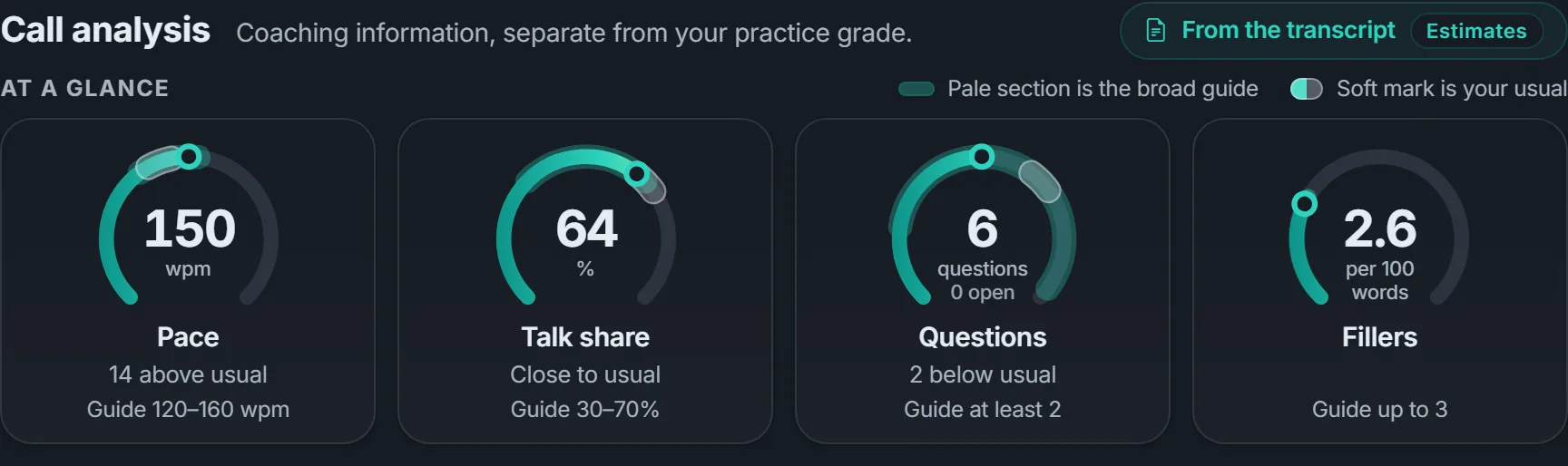
Four numbers at a glance
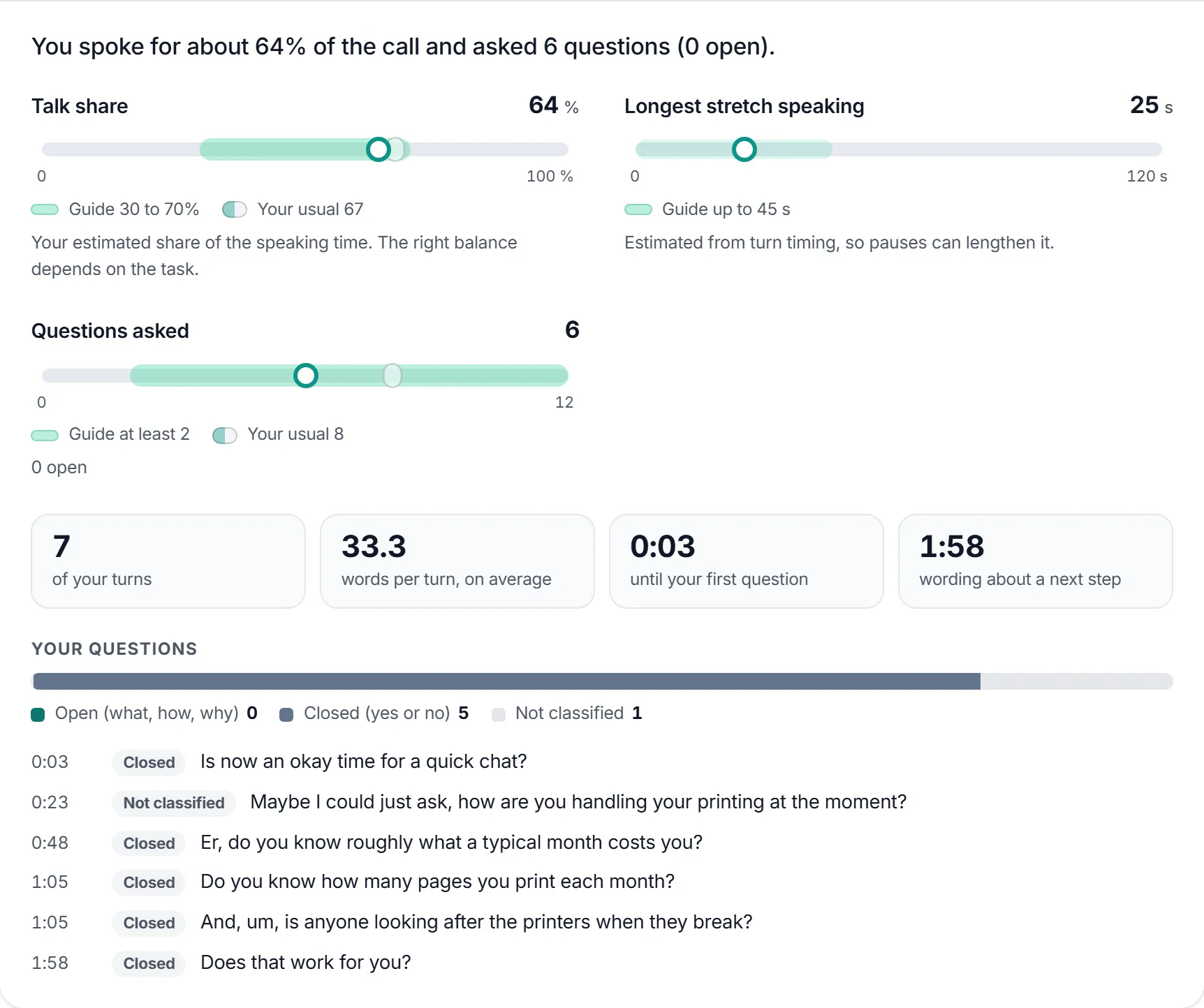
Pace in words per minute, your share of the talking, the questions you asked and your filler words. Each dial sits against a broad guide for that kind of call.
Once you have five analysed calls, a soft mark on each dial shows your own usual, so you can see whether this call was different for you. If a figure can't be trusted for a call, it is left out, not guessed.
The shape of the conversation
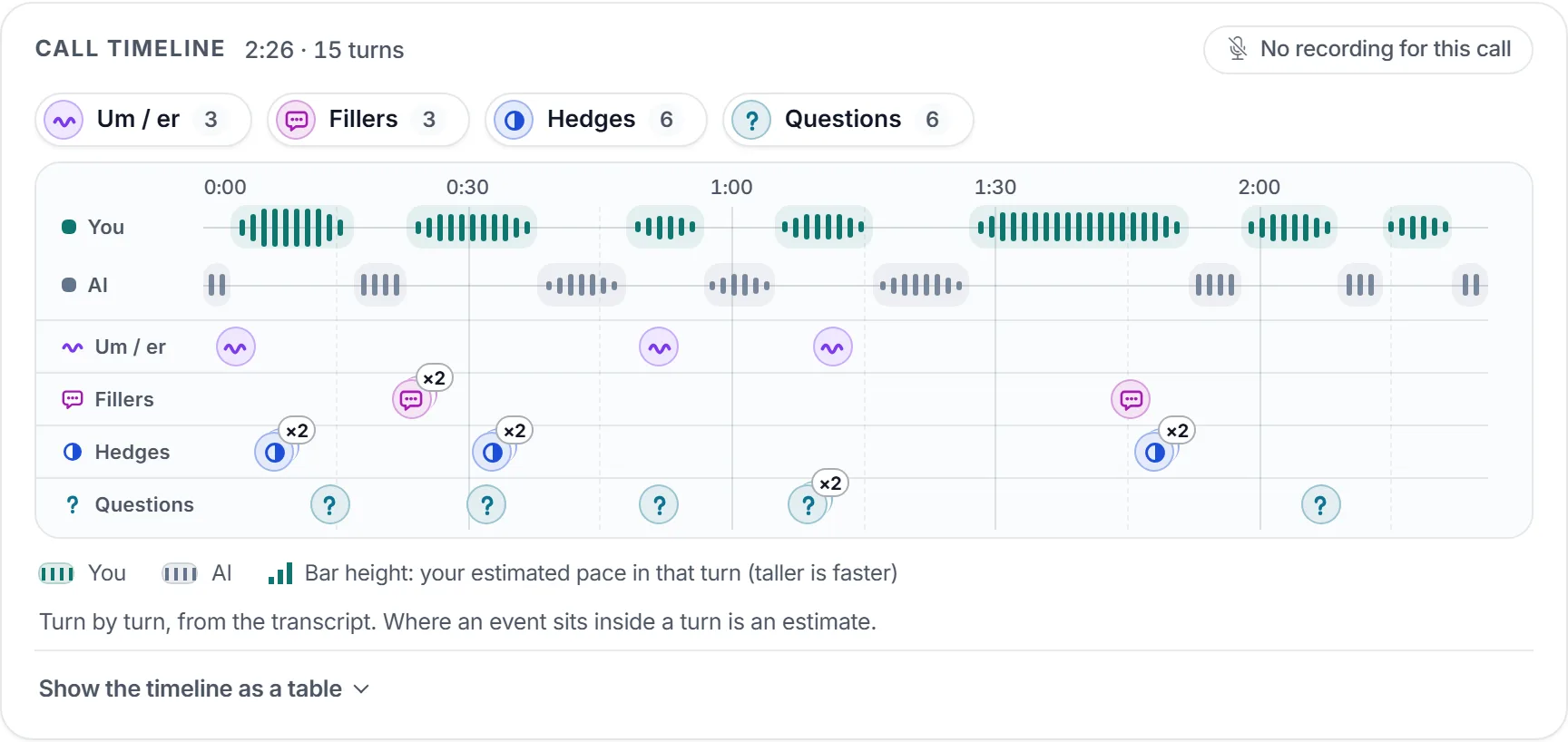
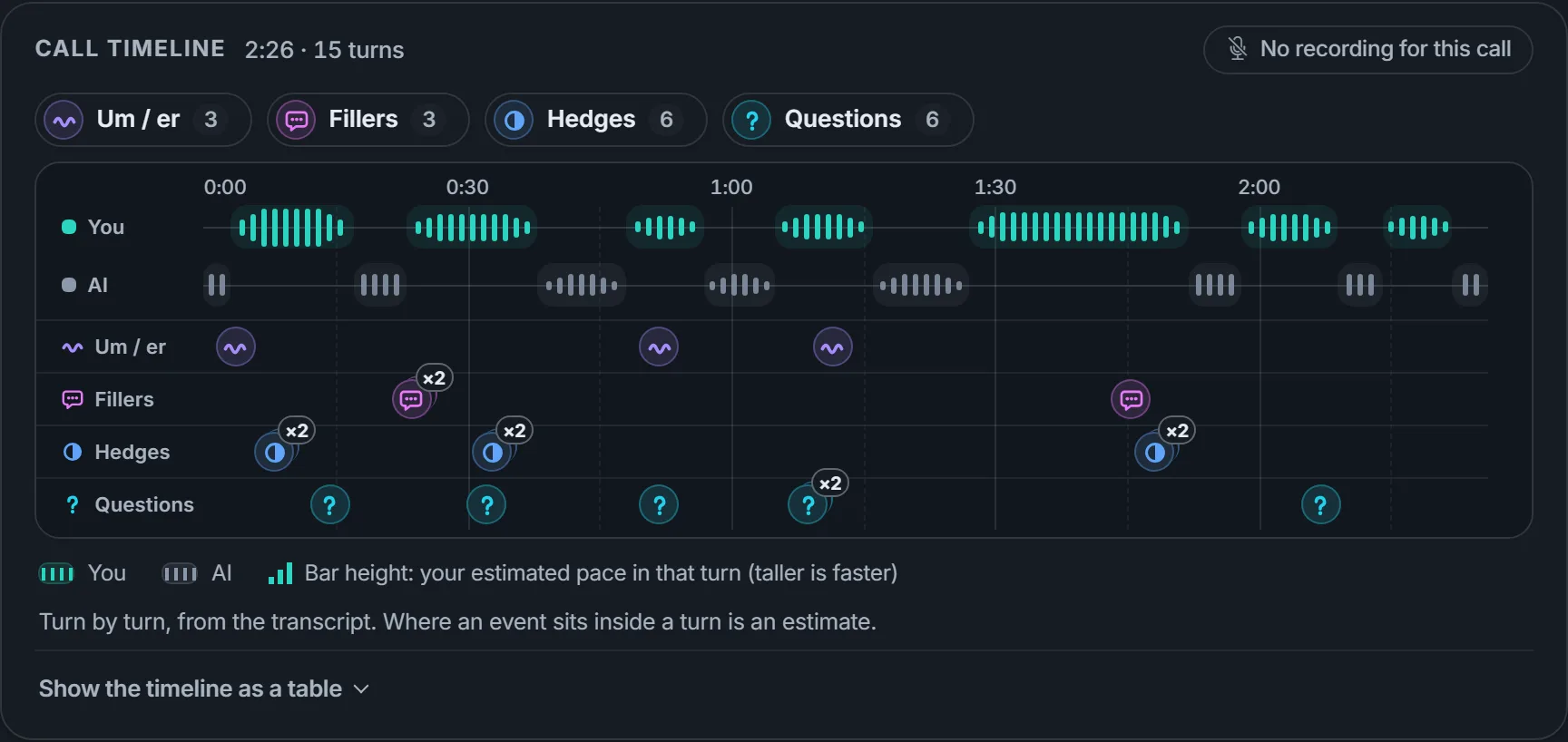
A turn-by-turn timeline shows who spoke when and how the pace moved, with markers where the ums and ers, filler words, hedges and questions fell.
Switch each kind of marker on or off to look at one habit at a time.
Tips that start with what worked
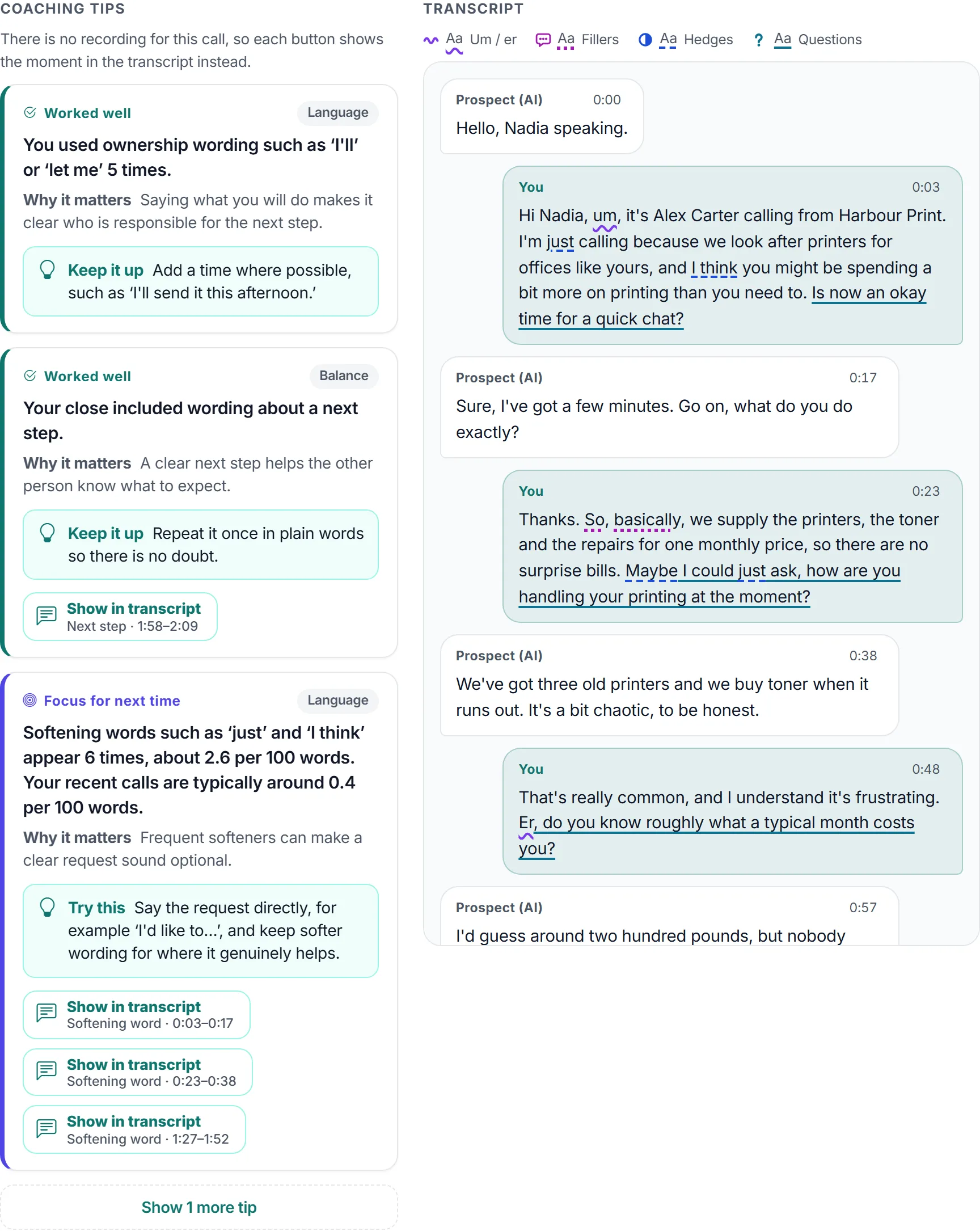
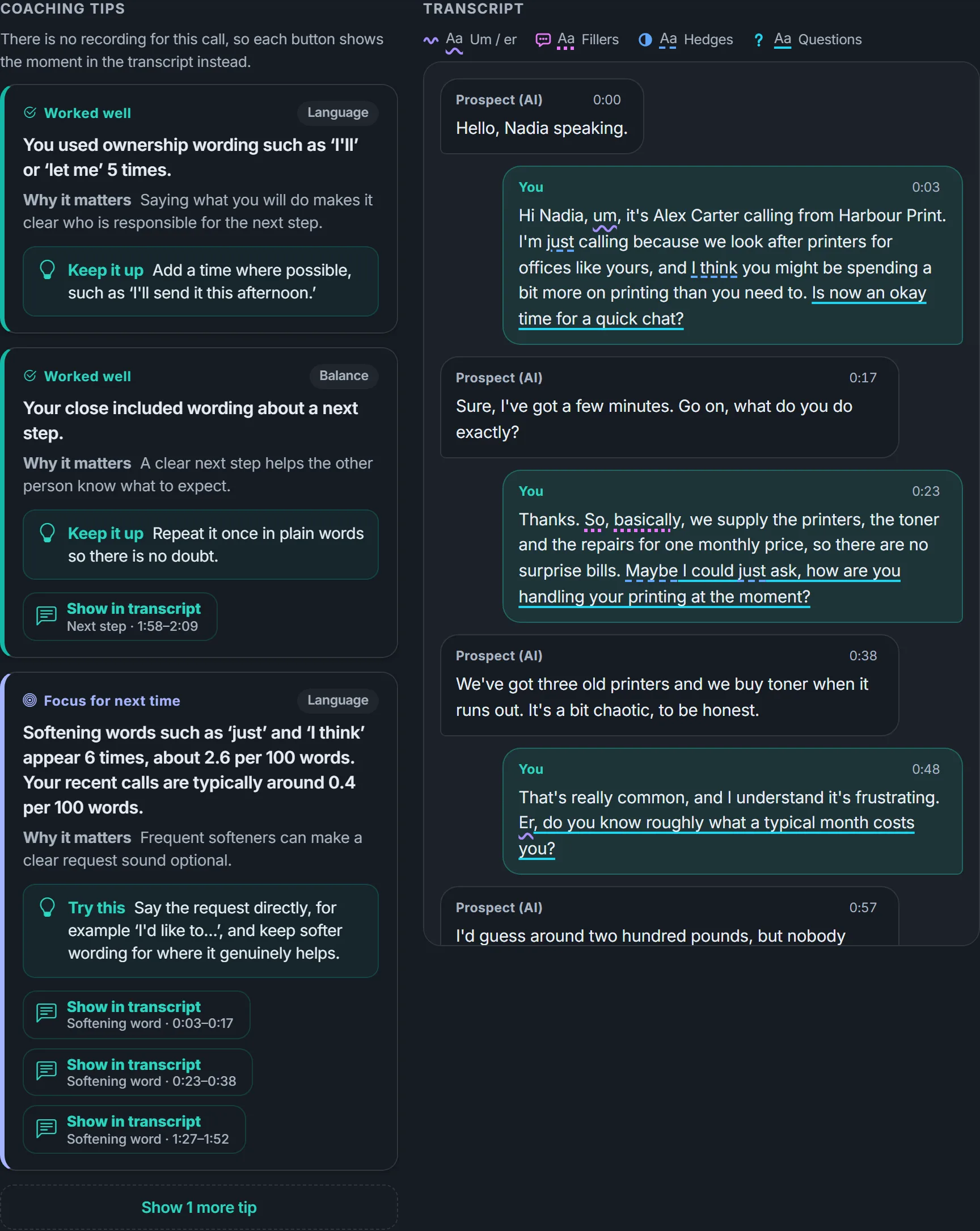
Up to five coaching tips per call: what worked well first, then up to three things to focus on next time. Each says why it matters and what to try.
A button on each tip takes you to the turn it is about, and the transcript underlines the same habits in your own words.
More detail when you want it
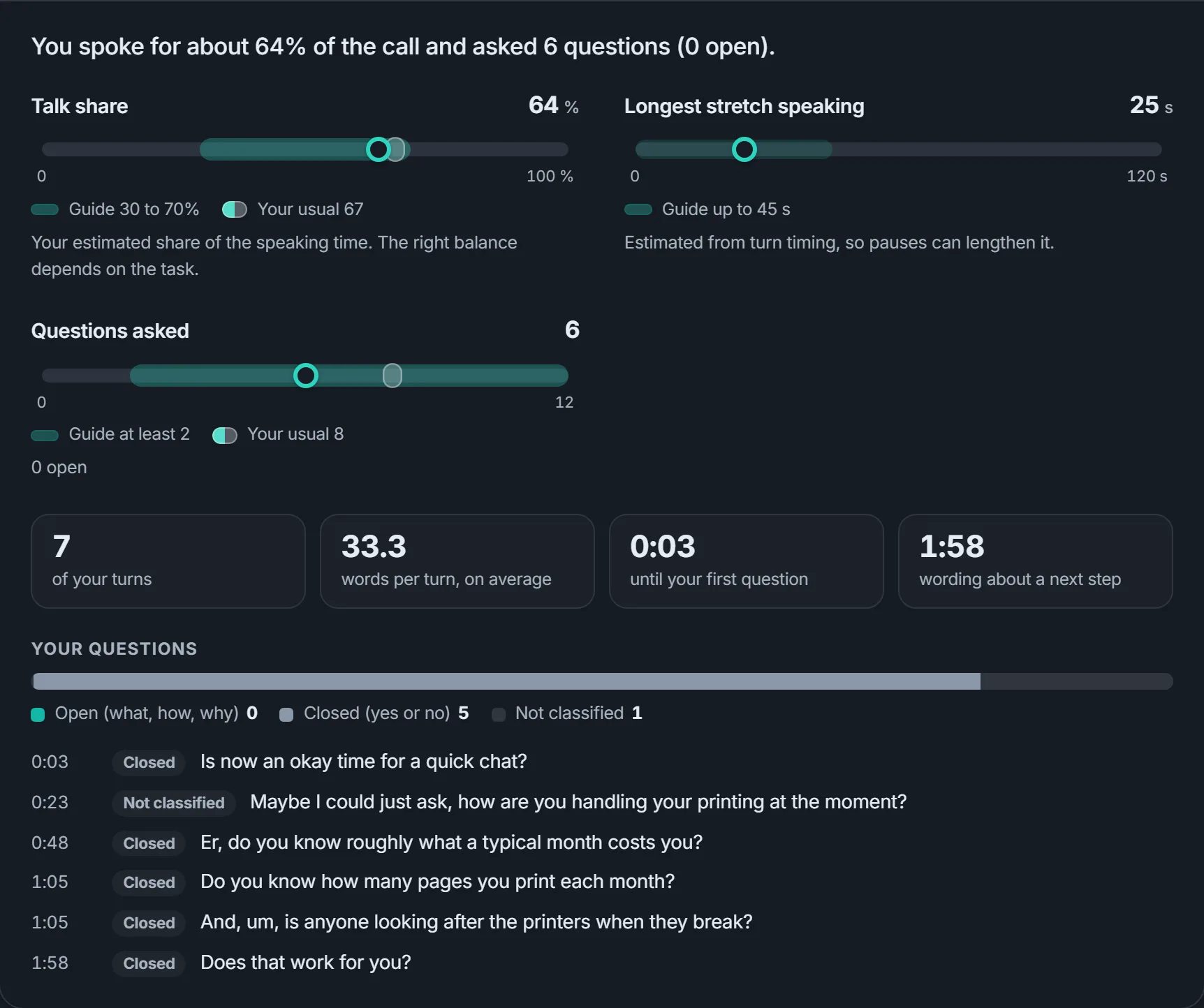
Detail tabs break the call down further. Balance, for example, shows your longest stretch of talking, how long it took to reach your first question, how many of your questions were open, and the wording you used about a next step.
Watch yourself improve
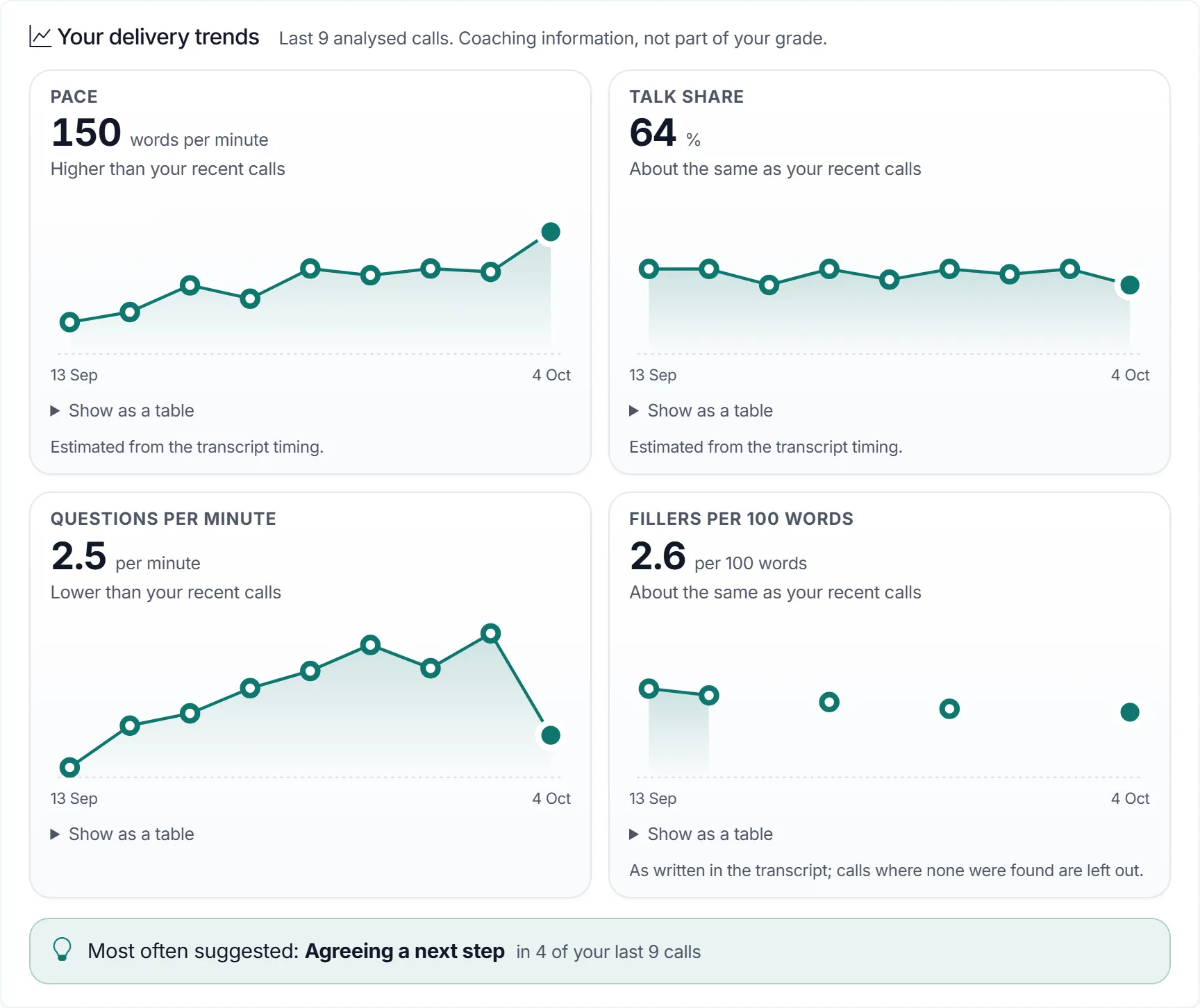
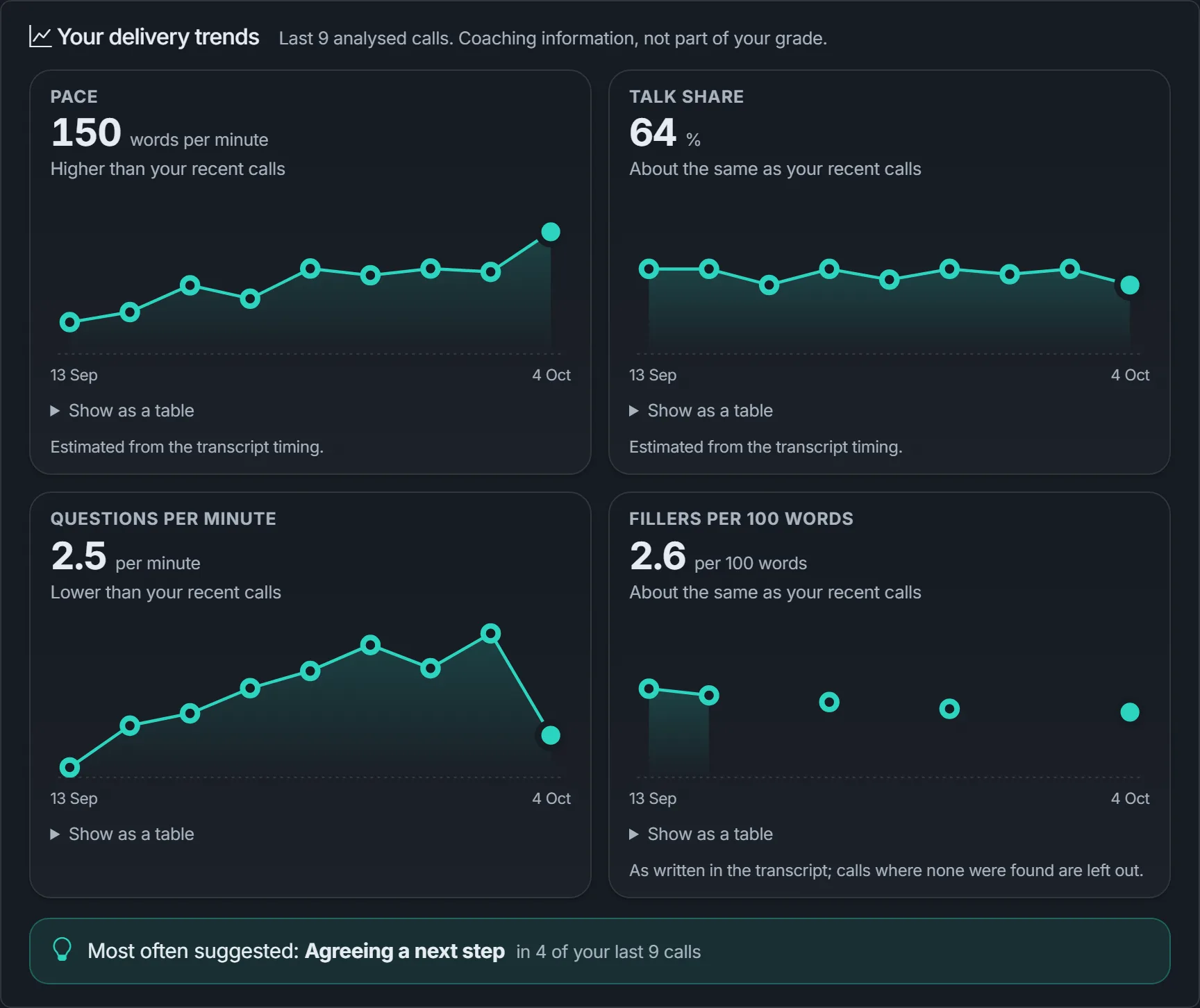
Delivery trends chart your pace, talk share, questions and fillers across your last ten analysed calls, and name the tip that has come up most often.
Trends appear after three analysed calls. They compare you only with your own earlier calls.
A view of the team, not a league table
Use it to choose what to coach next. It describes how the team is delivering calls, never one person.
Where the team sits
Broad ranges for pace, talk share, questions and filler words: for example, the pace most of the team speaks at.
Common focus areas
The tips that come up for most of the team, or for some of it, so one coaching session can help several people.
No names, no ranking
The team view is a summary of the whole team. It appears once at least five trainees have analysed calls, so it describes a team and not an individual.
Managers can also open a trainee's practice call and see the same analysis the trainee sees.
How it's measured, and what it doesn't do
The same explanation sits under every analysis in the app. Here it is in plain English.
- It comes from the transcript
- Everything is worked out from the written record of the call: the words, who said them and when each turn began. Nothing is taken from the sound of your voice.
- Estimates, and labelled that way
- Turn times are recorded to the nearest second, so pace and talk share are estimates. Where the timing is too rough to trust, the figure is left out. Ums and ers are counted only as the transcript wrote them, so some can be missed.
- Guides, not targets
- The guide on each dial is a broad range, set a little differently for calls you make and calls you receive. People and conversations differ, so your own usual is the more useful comparison. You are never compared with other people.
- Tips follow fixed rules
- The tips are chosen by set rules applied to those figures, so the same call always gets the same tips. They are separate from the AI feedback on business courses, which is charged separately.
- What it doesn't do
- It does not assess your tone of voice, accent, pronunciation, feelings or personality. It needs about 20 seconds of your speech to say anything, and its word lists are for UK English.
- Not part of the grade
- Call analysis is coaching information only. It is never part of your practice grade, course progress, certificate or any ranking.
What it costs: nothing extra
Call analysis comes with every practice call that has enough speech to analyse. It is worked out from the transcript inside VocalCoach, so it adds no charge to your credit. You pay for the practice call as usual; AI feedback on business courses is a separate feature and is charged separately. The pricing page has the details.
Practise a call. See what to change.
Create a workspace, explore the ready-made courses and invite your team. Add credit when you're ready to practise.