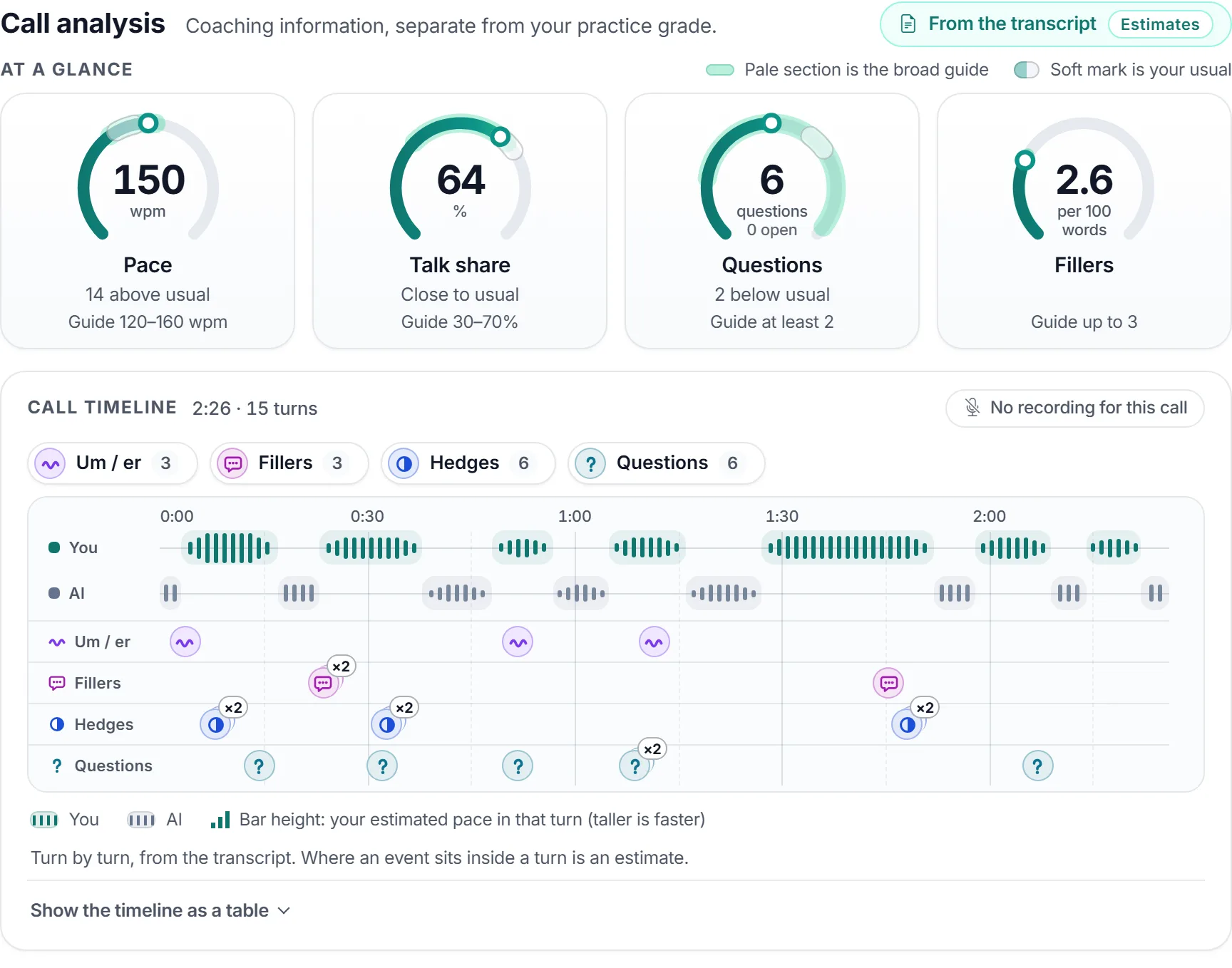
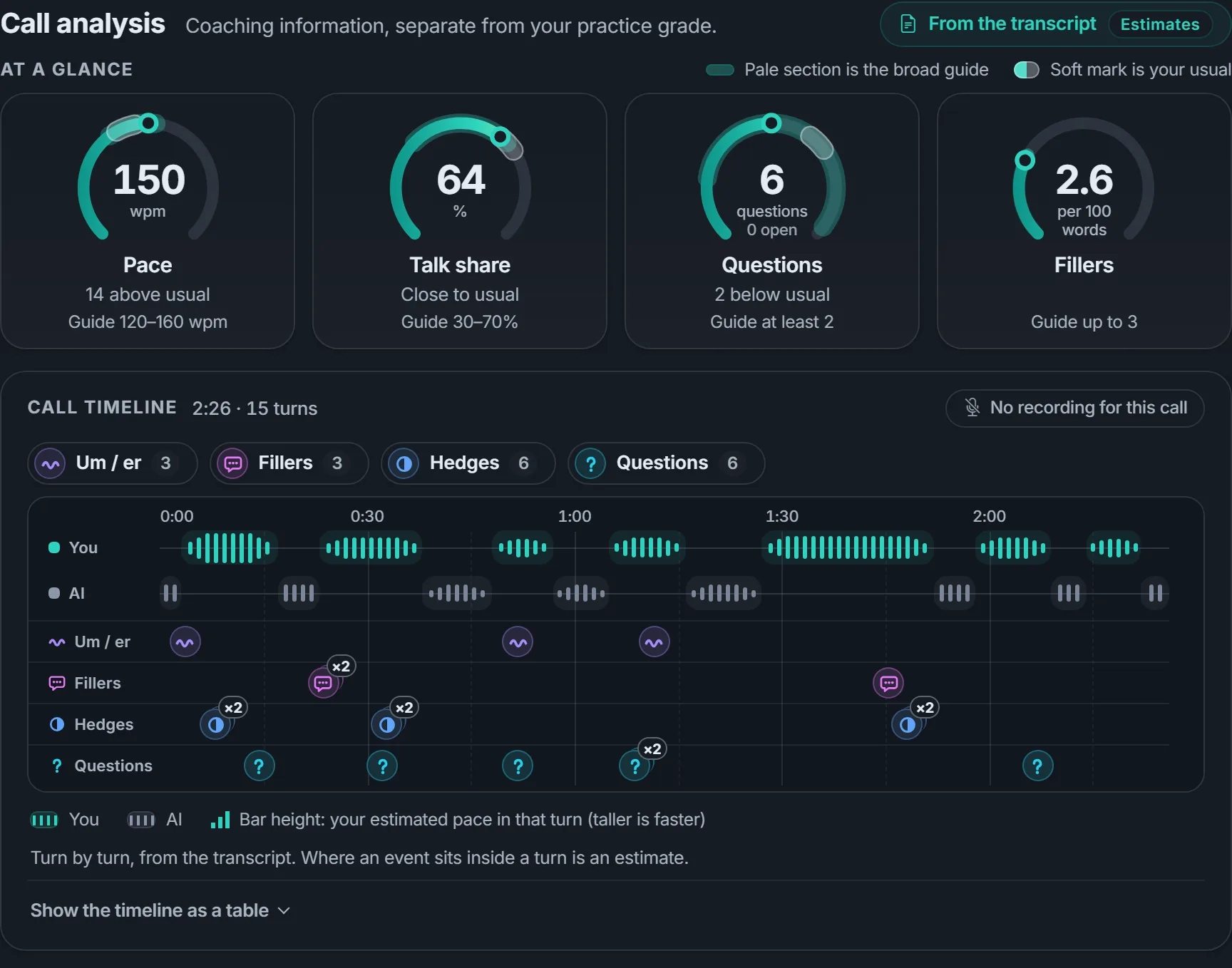
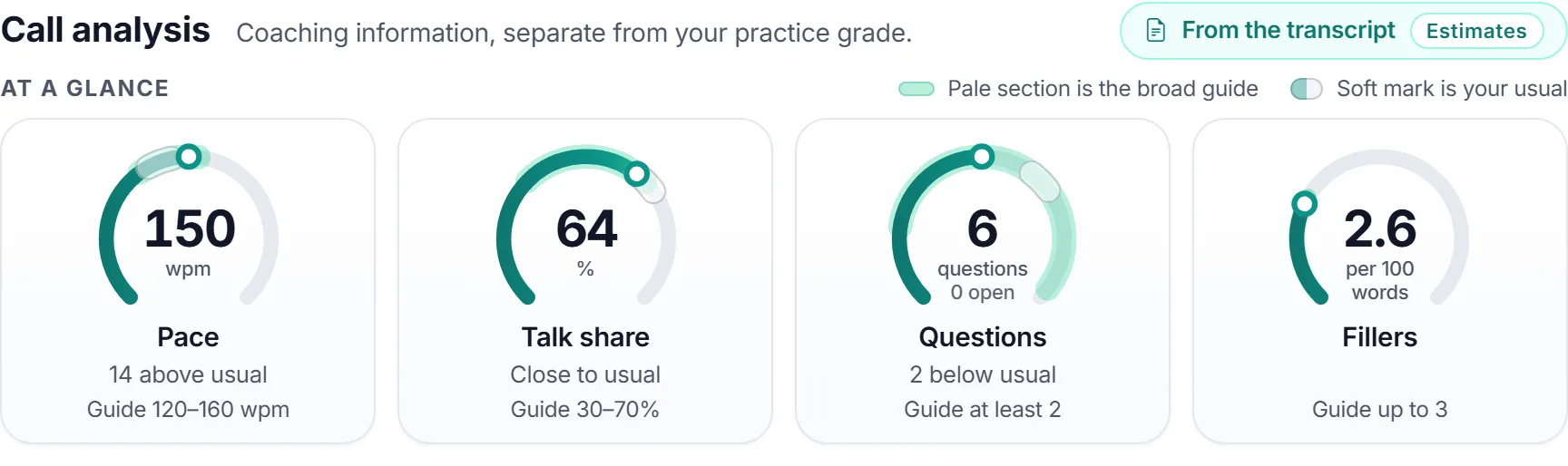
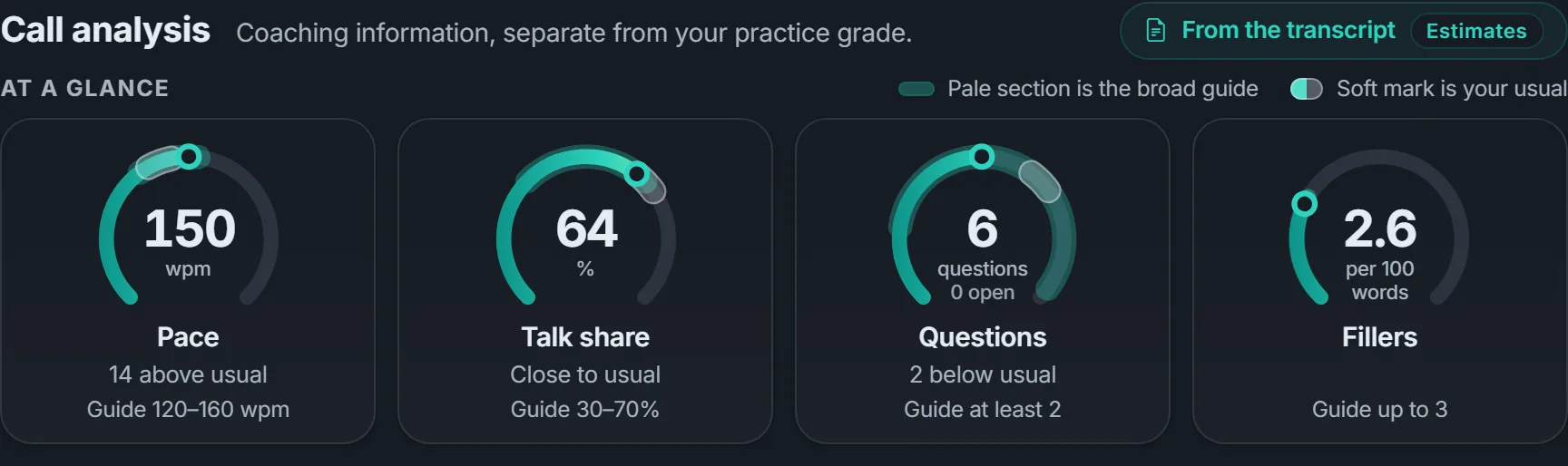
Four numbers at a glance
Pace, talk share, questions and filler words, each set against a broad guide and your own usual, so you can tell in seconds how the call went.
 VocalCoach
Realistic AI callers help your team practise objections, complaints and tricky questions, with AI feedback on business courses.
VocalCoach is the only AI training service that offers pay as you go with no monthly subscription and no per-seat fees.
Custom courses, made simple. Describe the calls your business needs to handle. Your AI assistant quickly drafts a course with callers, levels and goals you can review and edit.
A fictional customer support enquiry
Choose business discovery, customer support or everyday enquiries — or ask the AI assistant for a course tailored to your business. Review and approve its draft before practice.
Read the short brief, switch on your microphone and talk it through with the AI caller.
See your call analysis and read the transcript. On business courses, AI feedback also suggests what to try next.
Meet each level's goal, then download a course-completion certificate.
Finish a practice call and you get a call analysis: how fast you spoke, how much of the talking you did, the questions you asked and the filler words that crept in. It turns “that went okay” into two or three specific things to try on the next call.
Pace, talk share, questions and filler words, each set against a broad guide and your own usual, so you can tell in seconds how the call went.
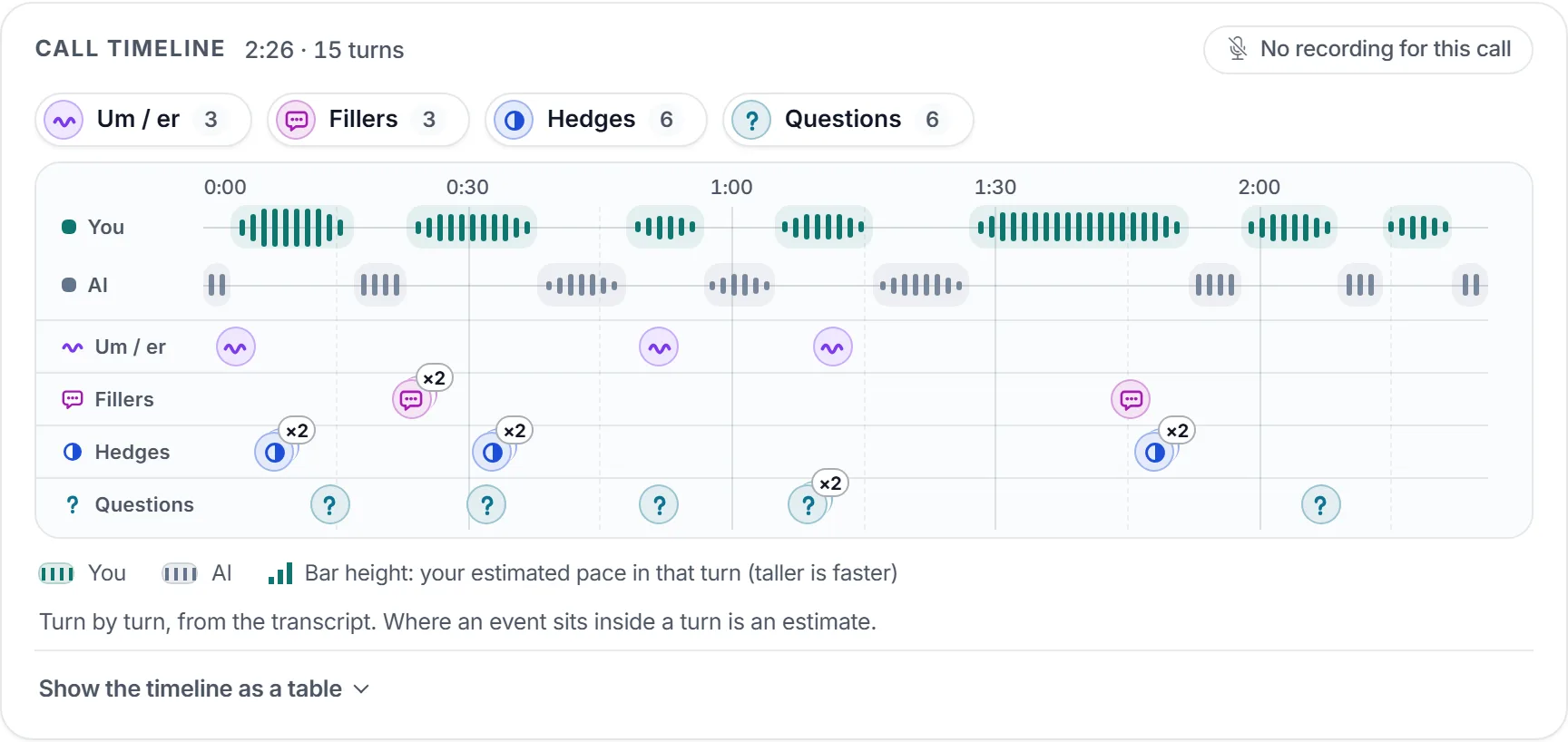
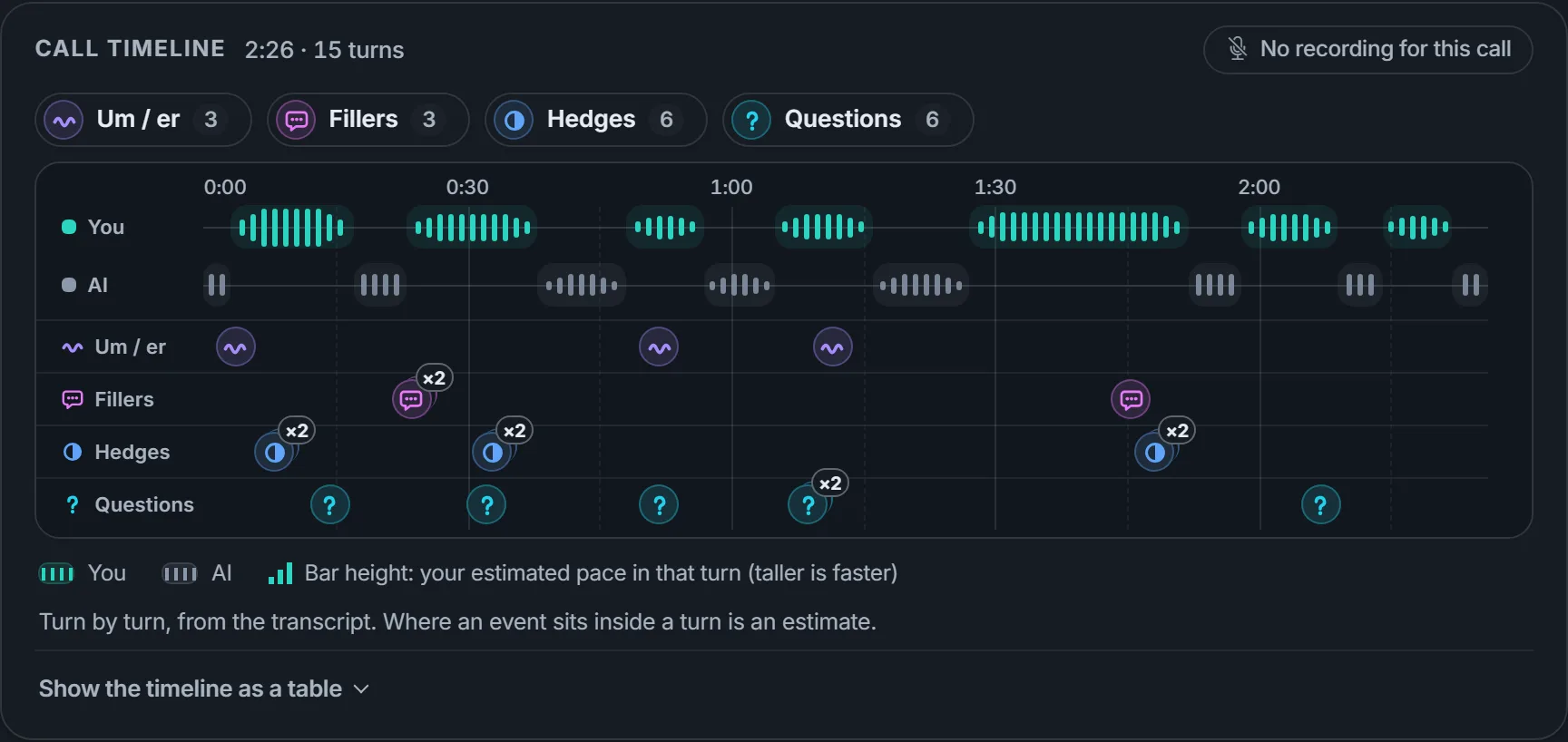
A turn-by-turn timeline shows who spoke when, and where the ums, fillers, hedges and questions fell.
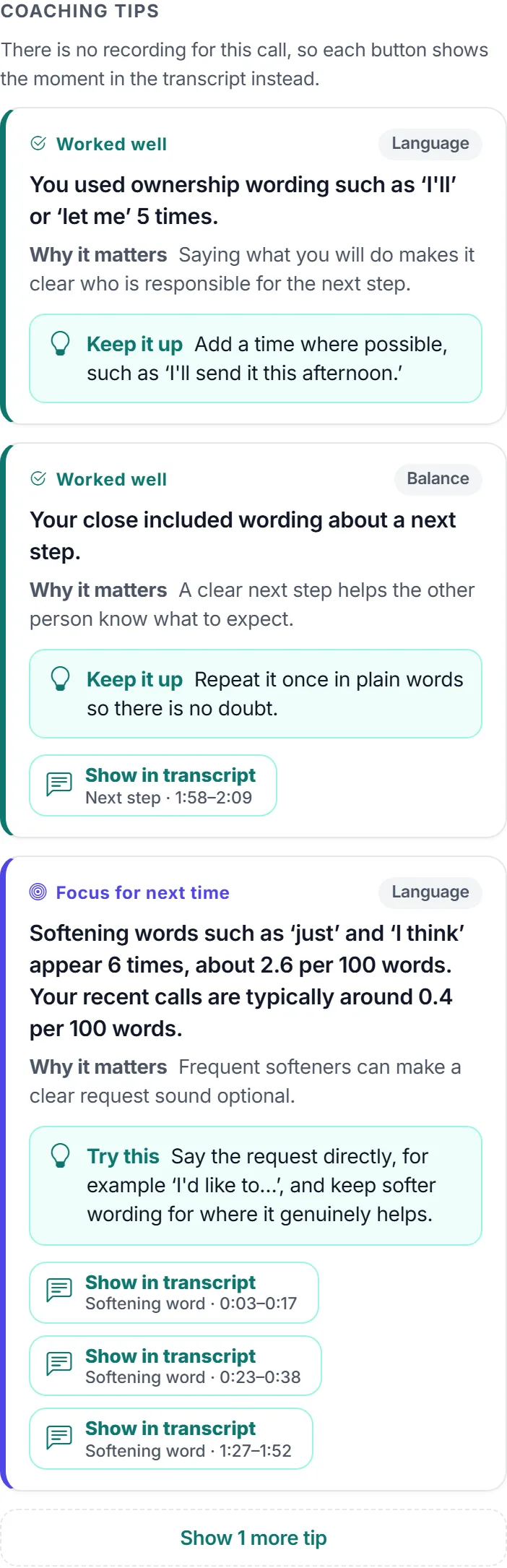
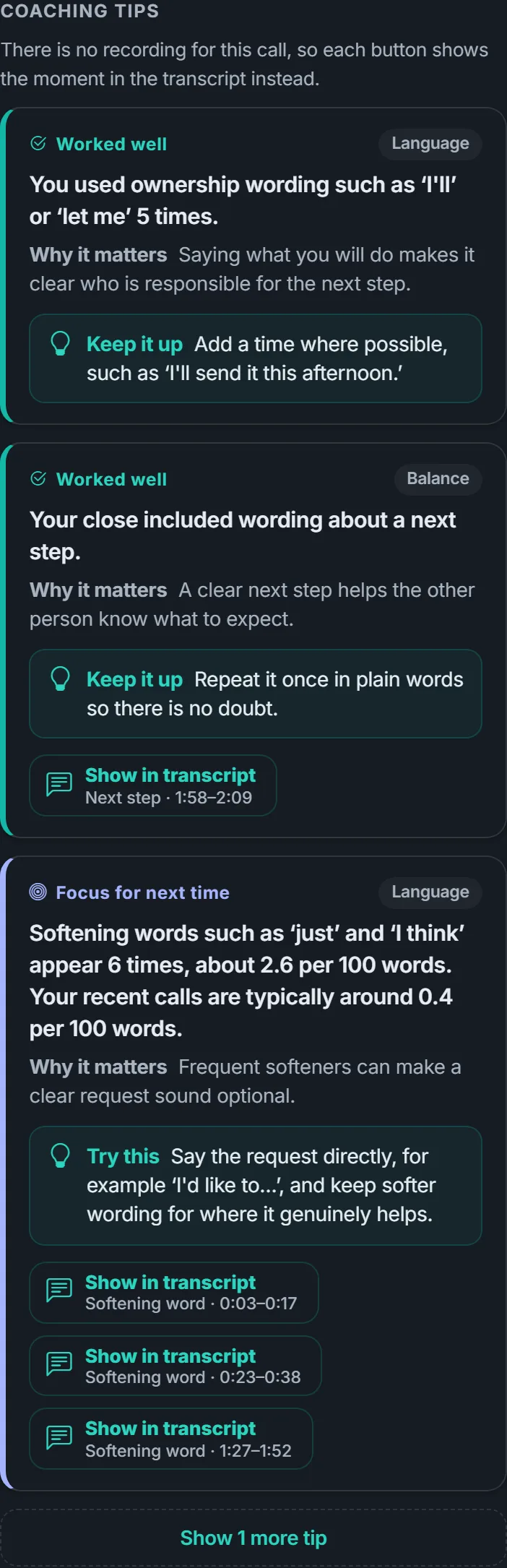
Up to five specific coaching tips per call, leading with what went well. Each one links to the moment in your transcript it is about.
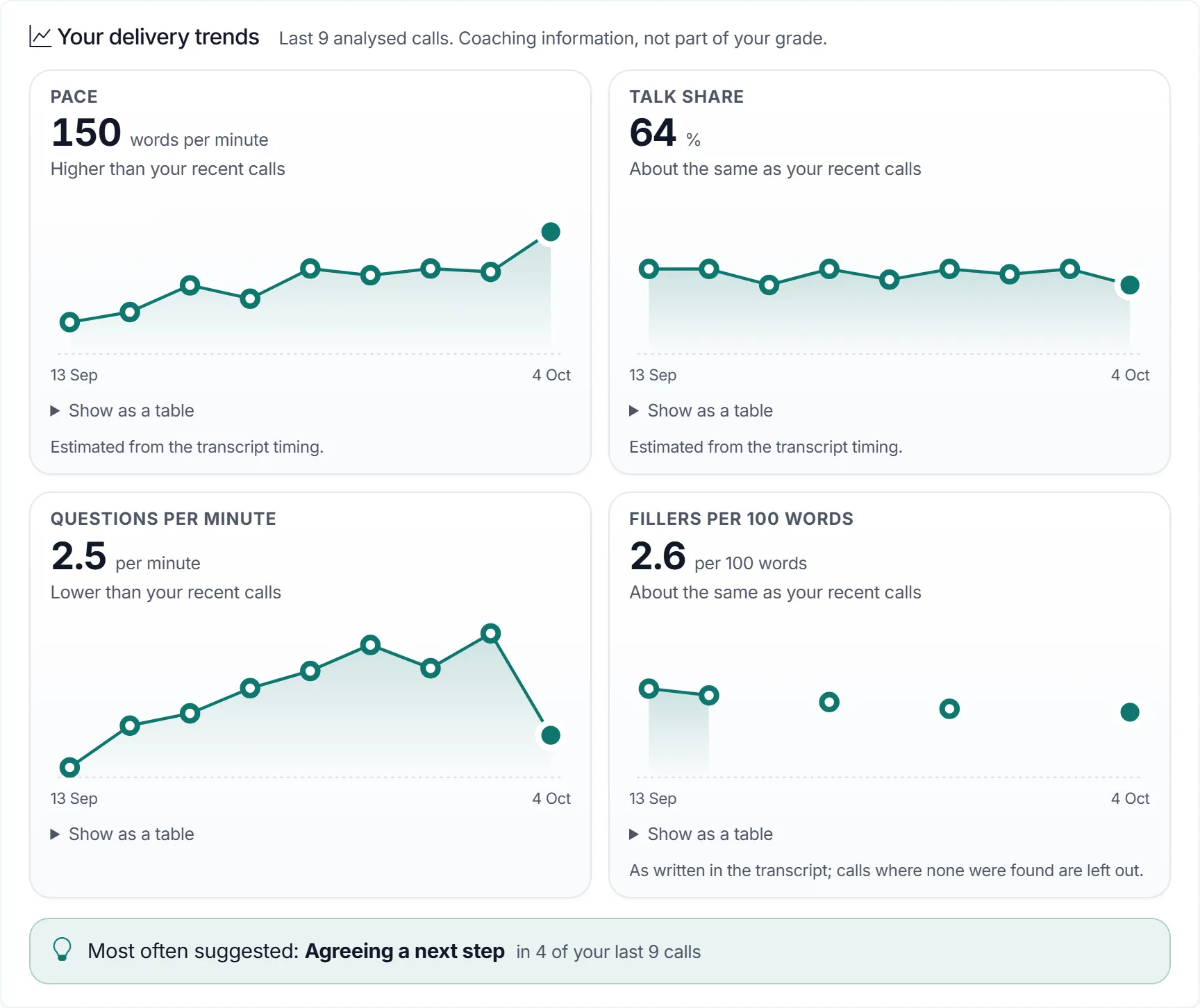
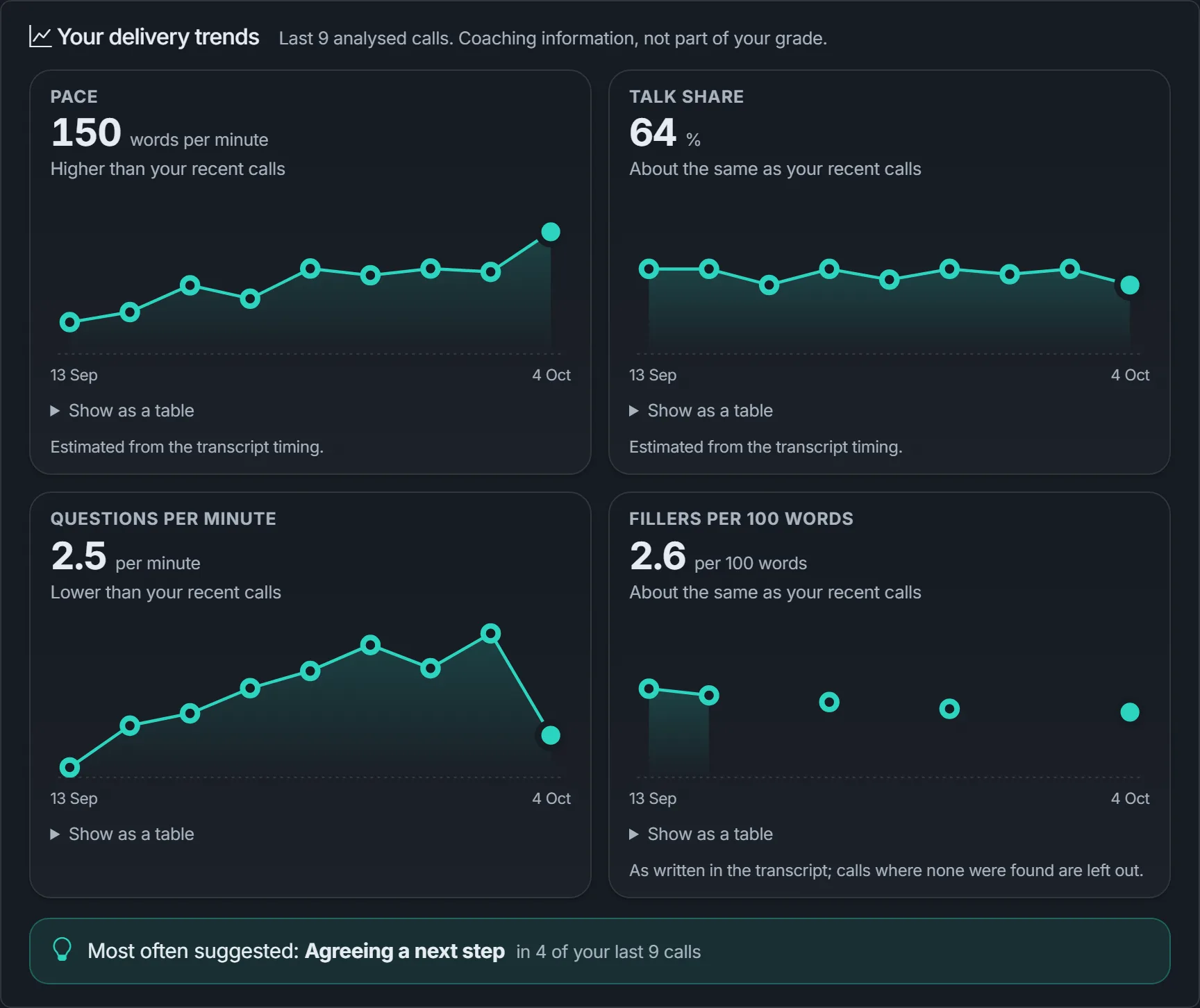
Trends across your recent calls show how your pace, talk share, questions and fillers are moving, compared only with your own earlier calls.
Estimates from the call transcript. Coaching information only — never part of your practice grade. How call analysis works
Real customers don't follow a script. Give your team a patient practice partner, so the first time they hear a tough question isn't on a live call.
Speak out loud with an AI caller who has a goal, a personality and a few awkward questions. Repeat any exercise until it feels natural.
Each ready-made course has three levels that get harder as you go. The support course, for example, moves from clarifying a question to verifying details to escalating.
Invite your team, enrol them in courses and see who has practised. Read the transcripts and feedback before your next one-to-one.
Set interruption practice to Off, Low, Moderate or High for each eligible exercise. Copy a library course into your workspace or configure your own, then choose what your team needs to rehearse.
Illustrative settings · configured per eligible exercise
“Sorry to cut in, I've only got a minute.”
Practise getting to the main point.
“Sorry to cut in, what do you mean by that?”
Practise a clear, relevant answer.
“Sorry to cut in, I'm not interested.”
Acknowledge the no and end politely.
Levels guide how often short objections are offered, with room to respond between them. Everyday-enquiry and speech-confidence exercises keep patient listening.
Example wording, not a fixed script. Objections use natural speaking opportunities; exact timing and speaking over you are not guaranteed.
In preparation: live interruption practice is not enabled yet.
A narrated, captioned walkthrough (under four minutes): create a course, assign a trainee, practise with an AI caller and review the results.
 Watch the walkthrough
 Create an individual workspace and practise asking for something, explaining a problem or checking a detail. There's no grade: finishing the conversation is the goal. It's conversation practice, not therapy.
Start practising on your ownThere are no seat fees or subscriptions. You top up prepaid credit from $5 (prices are in US dollars), and practice conversations and AI feedback use that credit. You see an estimate before each exercise, and purchased credit currently has no expiry.
No. Invite the people you want to train; everyone practises from your workspace's shared balance.
The signed-in assistant explains the site and helps prepare training and team actions. Bring product facts and objections for a three-course preview, combine your CV with the actual job posting for private interview planning, or review a CSV/XLSX caller list. It asks for missing course context and requires review before creation. Uploads, paid AI and account creation depend on setup and permissions. Your workspace manager configures the available assistant models; each choice has a notice about cost and limitations. Paid AI uses approved token costs plus 20% from prepaid credit; creating accounts does not automatically send invitation emails.
A modern web browser and a microphone. There is nothing to install and no phone line needed.
Suggestions based on the transcript of your conversation: what worked and what to try next. On business courses and standalone practice it is requested automatically when a call completes and is charged separately; the everyday enquiries course has no AI grading. Like any AI, it can be wrong, so treat it as a starting point for coaching rather than a verdict.
After a practice call with enough speech (about 20 seconds of yours) you get a call analysis at no extra charge: pace, talk share, questions and filler words at a glance, a turn-by-turn timeline, and up to five coaching tips linked to moments in your transcript. The figures are estimates worked out from the transcript and compared with your own usual. It is coaching information only, never part of your practice grade.
Yes. Tell the AI assistant about your business, a fictional call situation and the skills your team needs to practise. It drafts a course with callers, levels and goals for you to review, edit and approve. Check the facts and your business policies before using it. Course generation, voice setup and practice use credit; live practice depends on each exercise's voice availability.
Managers can set each eligible exercise to Off, Low, Moderate or High, choosing time pressure, clarification or refusal. Copy a library course into your workspace first, or configure your own. Live practice depends on voice availability. Objections use natural speaking opportunities; a mid-sentence cut-off is not guaranteed. Everyday-enquiry and speech-confidence exercises keep patient listening. A clear refusal calls for a respectful ending, not more persuasion.
No. A certificate shows that someone completed a VocalCoach course. It is not an external or professional accreditation.
More detail on charges is on the pricing page.
Tell us which calls your team finds hardest, or ask us anything before you sign up.
Create a workspace, choose a ready-made course or build your own with the AI assistant, and invite your team. Generation and practice use credit.